






A printer is often one of the most relied-upon pieces of office equipment, whether at home or in a business setting.
Yet many printers are replaced far sooner than necessary due to wear and tear, which is actually highly avoidable.
With a few smart habits and informed choices, you can significantly extend your printer’s lifespan, improve print quality, and reduce long-term costs.
Here are some practical ways to keep your printer running smoothly for years.
Use the Right Printer Ink Cartridges
One of the most important factors in printer longevity is using the correct ink cartridges designed for your specific printer model.
Low-quality or incompatible cartridges can clog print heads, cause leaks, and put extra strain on internal components.
High-quality cartridges are formulated to flow correctly through the printer, reducing blockages and ensuring consistent print quality.
While cheaper alternatives may seem appealing, using the right printer ink cartridges helps protect your printer from unnecessary damage and costly repairs.
Print Regularly, Even If You Don’t Need To
Printers that sit unused for long periods are more likely to develop issues, especially inkjet models.
Ink can dry out and clog the print head if the printer isn’t used regularly.
Even printing a simple test page once a week helps keep ink flowing and internal parts moving, which reduces the risk of blockages and mechanical failure.
Keep Your Printer Clean
Dust, paper debris, and dried ink can build up inside a printer over time, but regular cleaning prevents these particles from interfering with sensors, rollers, and print heads.
Wipe the exterior with a dry, lint-free cloth and follow the manufacturer’s guidance for internal cleaning. Avoid using harsh chemicals, as these can damage sensitive components.
Use the Right Paper
Not all paper is created equal. Using paper that’s too thick, too thin, or poorly finished can cause frequent paper jams and increased wear on rollers.
This is why you should always use paper that meets your printer’s specifications.
High-quality paper not only protects your printer but also improves print results, so it is a win-win.
Turn the Printer Off Properly
It may seem minor, but always turning your printer off using the power button matters. This allows the printer to park the print head correctly and perform necessary shutdown routines.
Unplugging the printer directly from the power source can interrupt this process and lead to ink drying out or mechanical issues.
Avoid Overworking the Printer
Every printer has a recommended monthly duty cycle. Exceeding this regularly can lead to faster component wear.
If your printing needs increase over time, it may be worth upgrading to a model designed for higher volumes rather than pushing a smaller printer beyond its limits.
Keep Software and Drivers Updated
Outdated drivers can cause communication errors between your computer and printer, leading to failed print jobs and unnecessary strain on the device.
Keeping firmware and drivers up to date ensures smoother operation and often improves performance and efficiency.
Final Thoughts
Prolonging your printer’s lifespan isn’t about one big change; it’s more about consistent, sensible habits.
Using the right printer ink cartridges, keeping the printer clean, and operating it within its limits all play a role in maintaining performance and reliability.
With a little care, your printer can remain a dependable tool rather than a frequent source of frustration.
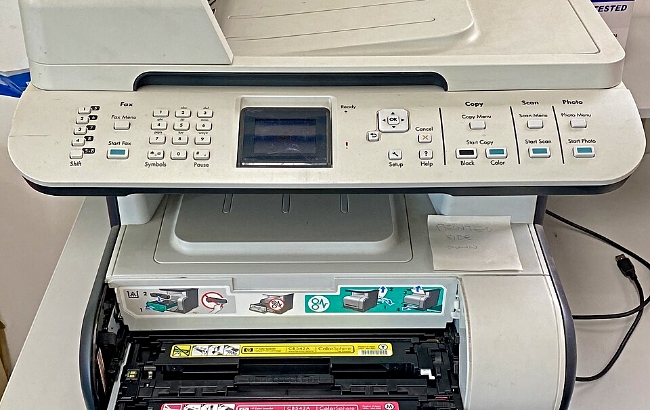
(pic by Sgroey under creative commons licence)









Recent Comments